How to Scale Customer Support Operations with AI Automation
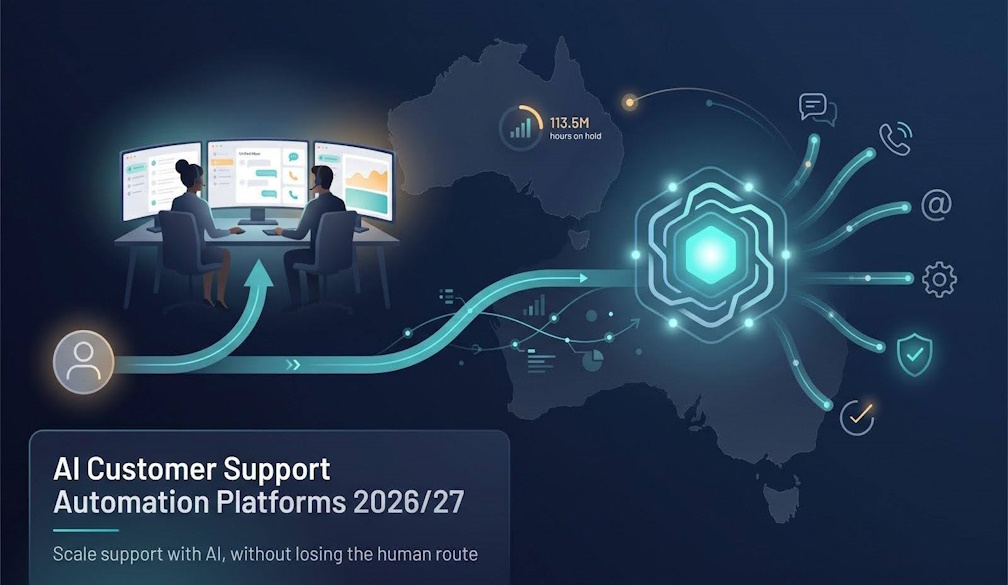
Automation can absorb a lot of support volume, but Australians still want a person on the other end when it matters. In a study of more than 2,000 Australians commissioned by an insurer, 51 percent said speaking to a real person is the top factor in getting an issue resolved, and 67 percent said they want to reach a person straight away when something goes wrong. That is the balance any growing support operation has to strike: resolve routine work instantly and hand the rest to a human touch without losing context.
This guide explains how AI fits into a support operation as it grows: the main architectures, the capabilities worth paying for, how pricing models behave at scale, and how to run a pilot that protects the customer experience.
Why support teams are turning to automation
Support volume rarely grows in a straight line. A product launch, a billing change or a seasonal peak can double the queue in a week, and hiring cannot keep pace with that. At the same time, a large share of contacts are repetitive: order status, password resets, plan changes, delivery questions and policy look-ups.
AI agents now handle many of these conversations end to end, rather than simply suggesting help articles. The best implementations do three things well:
- Resolve, not deflect: the AI completes the task (checks the order, issues the refund within policy, updates the address) instead of pointing the customer to a page.
- Hand over cleanly: when a request needs a person, the conversation history, customer details and the AI's findings travel with it, so nobody has to repeat themselves.
- Learn from the record: every resolved ticket and every hand-off shows where the knowledge base, permissions or integrations need work.
The goal is not to remove people from support. It is to give them back the time that routine work takes, so they can focus on the complex, sensitive and high-value conversations.
The four main platform architectures
Before comparing features, decide where your customer data already lives. That single question narrows the field more than any feature list.
- CRM native: if your CRM is the system of record for customers, keeping support inside it lets AI act on live records (cases, orders, entitlements) without sync jobs. This suits organisations where sales, service and account teams share the same customer view.
- AI layer on an existing help desk: if you are happy with your current help desk, an AI agent can sit on top of it and automate answers while human agents stay in the console they know. This is usually the fastest route to automation because nothing is migrated.
- Full support suite: if you are building from scratch or consolidating several tools, a suite bundles chat, email, messaging, ticketing, knowledge and AI in one contract and one admin console.
- Contact-centre (CCaaS) stack: when voice dominates, a cloud contact-centre platform combines dialler, routing, workforce management and quality assurance, and can run alongside one of the AI options above.
Capabilities that matter as you scale
Feature lists look similar across vendors. These are the capabilities that separate a pilot that stalls from one that scales.
Production-grade AI resolution. Ask for resolution rates measured on real conversations, and ask how a "resolution" is defined. A conversation the customer abandoned is not the same as one that was solved.
Context-preserving hand-off. Test the transfer from bot to human. The agent should see the full transcript, the customer's account details and what the AI already tried.
Integrations that write, not just read. An AI that can only look up an order answers questions; an AI that can update the order, issue a credit or rebook a delivery removes work. Check which systems the platform can write back to, and how actions are permissioned and logged.
One knowledge source across channels. When chat, email, messaging and voice draw on the same knowledge layer, a policy update reaches every channel at once. Separate knowledge bases per channel drift apart quickly.
Omnichannel coverage. Customers move between chat, email, SMS, social messaging and phone. Look for a single conversation record that follows the customer across channels. Well-built AI automation for customer support keeps chat, messaging and ticketing on that one record, so the AI and human agents always see the same history.
Quality assurance and analytics. Automated QA that scores both AI and human conversations, and insights that surface the topics driving volume, are what let a team keep improving after launch.
Security and compliance questions to ask
Support conversations carry personal, financial and sometimes health information. For regulated industries in particular, check:
- Independent attestations: SOC 2 Type II reports and ISO 27001 certification are the common baseline. Healthcare, payments and public-sector buyers may also need HIPAA, PCI DSS or government-specific frameworks.
- Data residency: where conversations and transcripts are stored, and whether you can choose the region or run on-premises.
- AI data use: whether your conversations are used to train shared models, and how you can opt out.
- Access controls and audit logs: who can see transcripts, who can change AI behaviour, and whether every automated action is logged.
Ask for the vendor's trust centre documents early. Security review is often the longest step in procurement, and it is better to find a blocker in week one than in week eight.
Understanding AI support pricing
AI support platforms bill in four main ways, and each behaves differently as volume grows:
-
Seats: pay per agent. Simple to budget, but you still pay for the seat when the AI does the work.
-
Outcomes: pay when the AI resolves a conversation. Costs track value, but you need a clear, written definition of what counts as a resolution, including whether a planned hand-off to a human is billed.
-
Sessions or usage: pay per interaction. Fair at steady volume, until a proactive chat prompt doubles the number of sessions.
-
Enterprise quotes: platform, seats and usage credits bundled together. Negotiation and usage dashboards reveal the real bill.
Run your cost model at today's volume and at double it. The cheapest option often changes when traffic spikes, and peak seasons are exactly when automation matters most. Remember to include add-ons such as quality assurance, workforce management and AI copilots for human agents, which are often priced separately.
A practical pilot plan
-
Test on history. Load 20 to 50 past conversations into the platform's simulation or testing tool. Each miss points to a knowledge article, permission or integration to fix.
-
Wire one read and one write. Connect your CRM or order system as a read source and one safe, reversible action, such as a refund within a set limit.
-
Set escalation rules. Decide which requests stay with the AI, which transfer after the first answer, and which skip automation entirely, so customers who want a person can reach one quickly.
-
Ramp slowly. Route 10 percent of eligible traffic to the AI, review every failure, and raise the share only after a full week at your quality bar.
-
Measure what customers feel. Track customer satisfaction and repeat contacts alongside resolution rate. A high resolution rate with rising repeat contacts means the AI is closing conversations without solving problems.
Common mistakes to avoid
- Automating before the knowledge base is ready. AI answers are only as good as the content behind them. Clean up outdated articles first.
- Hiding the human option. Making it hard to reach a person erodes trust quickly, especially when something has gone wrong.
- Ignoring agent experience. Human agents should help design hand-off rules and review AI answers; they know where customers get stuck.
- Treating launch as the finish line. The teams that get the most from automation review failed conversations every week and keep adjusting.
Conclusion
The right AI support set-up is the one that fits where your data lives and how your customers like to be served. Choose the architecture first, verify security and pricing against your own volumes, and keep a fast route to a human. Done well, automation clears the routine work so your people can focus on the conversations that need them.


 Emma Fawcett, CEO of Compare Club