Viber QR Code Generator | Boost Engagement and Drive Instant Conversations
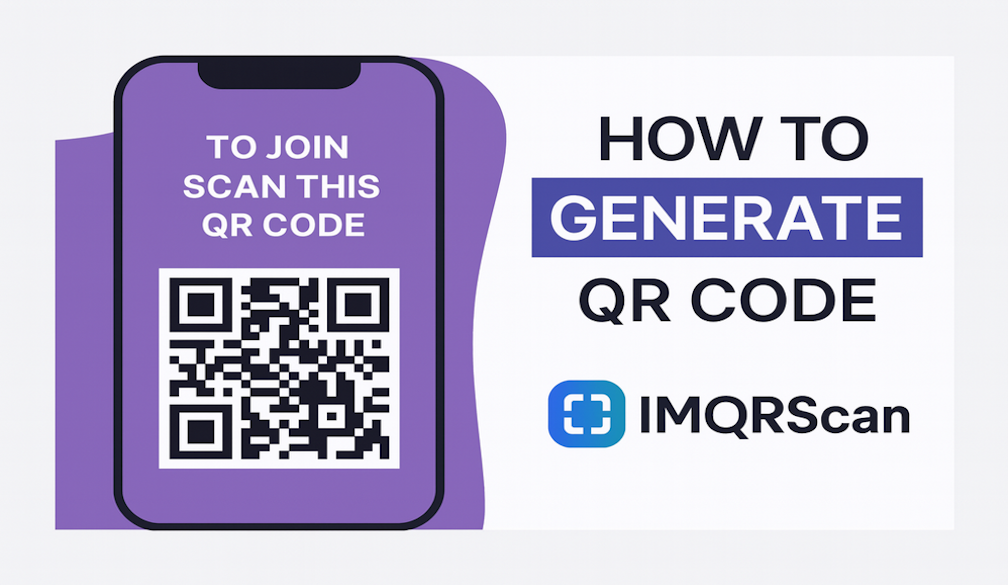
Do you have a business, provide a service or simply want more people to contact you quickly on Viber? Phone number typing is time consuming.Sharing links is messy. But imagine, if only customers have to scan and they can instantly chat with you via Viber. A Viber QR Code Generator does that. It makes a smart little square QR code that starts a Viber chat with you when scanned once. No confusion. No delay. Only real-time chats. This article will enlighten you about what a Viber QR Code is?, how to create one, and how it can take seconds to connect you with customers, students, clients, or fans. It is easy, quick and effective and you do not require any technological knowledge to operate it.
What Is A Viber QR Code?
A QR is a black and white square image. It can appear as a puzzle, but your phone camera or a QR scanner could read it in a second. Viber QR code is a particular QR code. When a person scans it, it will immediately open a Viber chat with you. Not a lick of typing, searching or delay. A single scan- and you are talking!
Why Use A Viber QR Code Generator?
It can be used by anyone who wants to chat easily on Viber.
Here are a few examples:
- Owners of Small Business: Put your code up in your shop, or on receipts. Customers will be able to scan to inquire about products, closing time, or promotions.
- Tutors and Teachers: Place the code in handouts or emails. One scan or tap and parents/students can get in touch with you.
- Creators and Artists: Put it on your social media or posters. Admirers are able to send you messages about your artwork, music or merchandise.
- Clinics and Doctors: Put it on appointment cards. Patients can scan to reschedule or to inquire about a question.
- Freelancers: Include the QR code on your Web site or resume. Potential clients will be able to contact us quickly.
What Are Steps To Make A Viber QR Code?
In a few minutes, you can generate your Viber QR code. Here’s how:
- Step 1: Copy Your Viber Link
Copy your viber chat link. Here is the link format viber : / / chat?number = YOURNUMBER
Use your business phone number in this link with your country code.
For example: viber : / / chat?number = +01234567890
- Step 2: Select and Log-in A QR Code Generator
Select and login to any QR code generator like IMQRSCAN;
Paste your viber chat link into any one of the QR code generators.
- Step 3: Customize Your QR Code
For personal branding choose colors that match your brand. Add your business logo in the middle. Select any shape you like.
- Step 4: Download the QR Code
Click Download and save the file as PNG or JPG.
- Step 5: Download the Code and Print It
You are now set to publish your QR code either on the internet or on the print materials. Anyone, who sees it, can scan and begin chatting.
Tips To Use Your Viber QR Code
Need ideas? Try these:
Include in restaurant menus to place quick orders
- Put in email signatures to assist clients.
- To advertise an event, print on posters.
- Post on social media stories or advertisements.
- Put on product packages to inquire or give feedback.
A QR code can assist you anywhere you desire to have quicker contact.
What Not To Do When Using Viber QR?
Avoid these mistakes before you share your Viber QR code everywhere. Here is what you need to avoid:
Using Wrong Link Formats: The format of your Viber link should be as shown below:
- viber://chat?number=+1234567890a
- A wrong QR code link will be ineffective. It is always good to test it before printing or sharing.
- Placing code where it's hard to see or scan: Unless people can see your QR code, they will not scan it. Do not put it in a corner or make it too small. Put it somewhere prominent.
- Not testing with multiple scanning devices: it's necessary to know the code is scannable and takes the user to the targeted link or number.
- Skipping Call-to-action: The code will not always be used by people. Include a brief text, such as Scan to chat with us on Viber! to show them the way.
- Using low-quality or pixelated images: A QR code that is blurred may fail to scan. Always take high-resolution files, particularly when printing.
Is Viber QR Safe to Use?
Yes. Your QR code simply creates a chat on Viber. It does not gather information or promote personal data. You still have control- you can block or mute anyone in case of requirement.It is an intelligent device that introduces convenience and rapidity minus the danger.
Final Thought
In the modern world full of rush and haste, individuals want to have quick solutions and means of contacting one another with ease. A Viber QR Code Generator provides them with exactly that. When you are sick and tired of typing phone numbers or long links, then it is time to use QR codes. It is clean, sleek and functional. You can grow a business, assist clients, or keep in touch with your community- this tool is suitable to all. And you know what? Create your Viber QR code now. Post it. Print it. Share it. Allow people to contact you with a single scan.


 Business Daily Media