How Small Businesses Are Using AI 3D Tools to Cut Product Visual and Prototyping Costs
For a small business, every new product comes with a familiar list of costs before a single unit is sold: product photography, a few rounds of prototypes, and visuals for the website, marketplaces, and social media. For years, 3D sat outside that budget. Hiring a 3D artist or a product design studio could cost more than the first production run.
That is changing. A new generation of AI 3D tools can turn a photo, a sketch, or a short text description into a usable 3D model in minutes. For small teams, this opens up three practical savings: cheaper product visuals, faster prototyping, and lower-risk testing of new ideas.
From product photo to 3D model in minutes
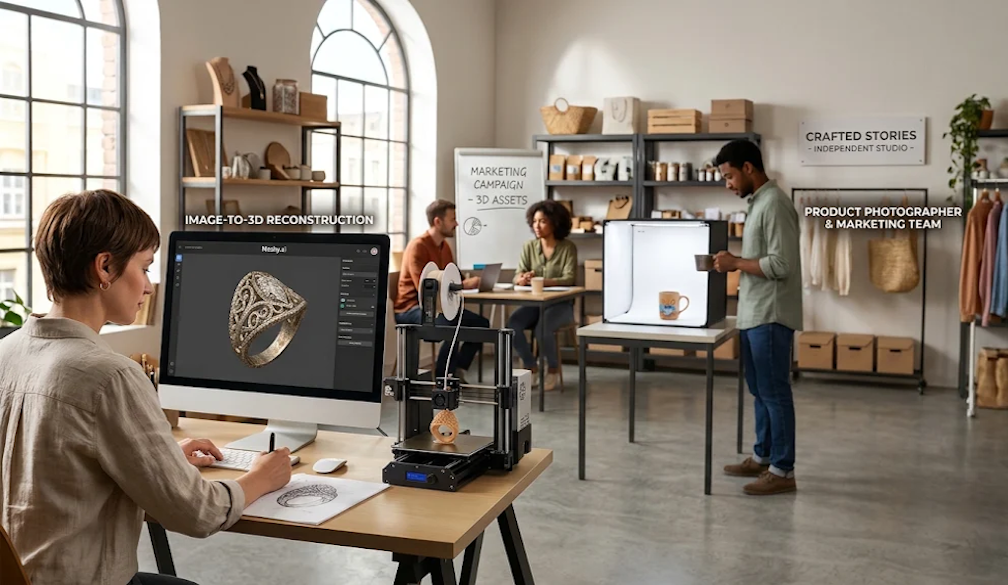
The most common starting point is a product photo the business already has. With image-to-3D tools, owners can turn product photos into 3D models without learning complex modelling software. The AI reconstructs the shape and surface of the product and returns a textured model that can be viewed from every angle.
That single model can then be reused across channels. It can be rendered on a clean background for an online store, placed in a lifestyle scene for social posts, or turned into a short 360-degree spin video. Instead of booking a new photo shoot every time a colour, angle, or background changes, the team simply renders a new image.
Cheaper, faster prototyping
Physical prototypes are another major cost. Each version of a new product, packaging insert, or display stand has traditionally meant paying for CAD work and waiting for samples.
AI 3D tools shorten that loop. A founder can generate several concept models from rough sketches in an afternoon, review them with the team or with customers, and only commit to detailed design work once the direction is clear. When a physical sample is needed, the model can be exported for 3D printing, either on an in-house desktop printer or through a local print service. Many small makers now check fit, size, and feel with a printed part before ordering moulds or larger production runs.
Practical uses small businesses are already finding
· Online stores: interactive 3D product views and fresh product images without repeat photo shoots.
· Makers and craft sellers: turning hand-drawn designs into printable files for jewellery, home decor, or custom gifts.
· Hospitality and retail: quick 3D mock-ups of signage, displays, and merchandise before placing an order.
· Marketing teams: 3D assets for ads, presentations, and short videos, produced in-house.
Start with ready-made models
Not every project needs a custom model. For backgrounds, props, and early concepts, free libraries can fill gaps quickly. Meshy's free 3D model library, for example, offers a large collection of ready-to-use models that teams can download and adapt, so custom generation can be saved for the products that matter most.
What to keep in mind
AI 3D tools are fast, but they work best with a little care:
· Use clear source images. A well-lit photo of a single product on a plain background gives far better results than a busy shot.
· Check the details. AI models are a strong starting point, but logos, fine text, and exact dimensions may still need adjustment before printing or publishing.
· Review the rights. Make sure you own or have licensed the images you upload, and read the commercial terms of the tool and of any library models you use.
· Match the output to the job. A model for a website preview does not need the same precision as a part that must fit an existing product.
The bottom line
For small businesses, 3D used to be a nice-to-have reserved for brands with bigger budgets. AI 3D tools have lowered the cost of entry to the point where one person can create product visuals, test prototypes, and prepare files for 3D printing in the same day. Businesses that start experimenting now will be better placed to launch products faster and present them more convincingly, without adding a large design budget.


 Emma Fawcett, CEO of Compare Club